Over the next few days/ week I’ll be working on making sure my player doesn’t go off screen (still a bug I haven’t fixed yet) and also adding enemies and pollen to collect (for points).
Once the above is done, the game will be complete in a simple state, and will just require to be polished on top. Polishing will require remaking the menu’s using my own art style rather than the built in unity code, making stages other than open field and forest, and making lots of animations for the player.
I plan to have this game finished and released before Christmas, and will continue to support it afterwards with updates that improve functionality. (such as online leaderboards rather than local high scores.)
I’ve now made a main menu, which will be updated to be more polished when the game is complete and done. I’ve also added a score system, which isn’t currently saved, but will be in due time.
Let me know what you think and by all means give feedback. This is very early, and I’ll soon be adding enemies and items for you to collect and get more score with, so keep coming back for more builds.
This is my main player. It’s I’m pretty pleased with it and feel it could really start to make my game look more professional.
So today I spent the whole day watching The Wire (A fantastic TV show from HBO) whilst also working on my main playable character. The screenshot above is the outcome, which I’m quite pleased with. It’s now just a case of working it into my project, which will require me learning how to properly export the player so that my character collides with the world like before (Previous attempts at importing objects always led to physics and rigidbodies not properly being implemented).
This is a screenshot from my iPhone running iOS 7. The game can run forever and is indeed a endless runner.
So the other day I asked the great community of Reddit for help and advice on where I should go next in terms of optimisation for my current project; Project Dandelion.
If you want to try the current build, click the link below and install the Unity web player:
I do apologise on the quality of the current build. There are 2 different types of level to be generated, one with trees and one a open field, but due to the frequency of the instantiating, it may take you a while to see both levels. Everything also needs to be tweaked, so try not to hit the booster too many times. The one great thing about this build though is that most of the core mechanics are there and working, they just need to be tweaked and expanded upon, so bare with me as I continue to progress in the making of this game.
So just to explain whats currently going on in the scene:
I have a player (the cylinder) that constantly moves forward in the world and consistently moves down using gravity. The players model rotates left and right when the player moves left or right. I at first was only going to play an animation making the player rotate, but this wouldn’t rotate the model, and would screw up any collision detection made by the player.
When a player collides with the white boxes, the gravity variable is increased to 20, meaning the player moves up 20 metres. This very quickly runs back down to -0.5 as the update function is called every frame, and every frame the gravity is made sure to be pushed back down to -0.5. These are all variables that can be adjusted in the future to make sure the feel of my game is spot on. (The white blocks are randomly generated across the scene, and are generated 3 metres below the player so that in the 3 seconds it takes to reach one, the player has descended that amount to hit them.)
In order for the world to generate, I have a separate gameObject that rushes off ahead of the player and generates the level piece by piece. This was fine in testing, but as I incorporate better 3d models in the future, I worry the performance of the game will be affected due to too much being rendered at once.
It was the last point I was worried about and decided to ask the question to fellow redactors about whether I was heading in the right direction or not.
The overwhelming feedback was that I should keep the player stationary, and instead get the level itself to move backwards to give the illusion of moving forwards. Now I had this idea a while back, but decided it was silly and would be too taxing on the system, but something clicked in my mind when most people agreed this is what I should be doing: By having my objects forever instantiate at a certain distance away from the player, I would only ever have to worry about 4-5 objects max, meaning no need to worry about performance!
I’m currently in the process of making this work, but I’m certainly glad I reached out to the community for this feedback, it’s fantastic and hopefully is a step in the right direction for my game.
So I’ve been working on my game today, and I haven’t made any progress in a while, until today that is.
I’ve finally been able to make my level randomly generated. I mean it’s rudimentary at the moment, and looks like crap, BUT it’s just a case of art assets not being up to scratch. In theory the logic behind the level generation works and is perfect for what I need.
I currently only have 2 levels to choose from, a open field and a forest. My game object travels at a set pace in front of the player, and generates content far enough ahead that the world looks like one continuos level. Once this content is used and goes off screen, it is destroyed and frees up space in the ram.
Next I’m going to work on getting the physics of my player set up. Currently the player can travel anywhere they want, I need to change this and just allow them to move left and right, not up and down. The game ends when they touch the ground or a obstacle.
So I’ve decided to show people what my game can do so far and what I’ve implemented, so here it is:
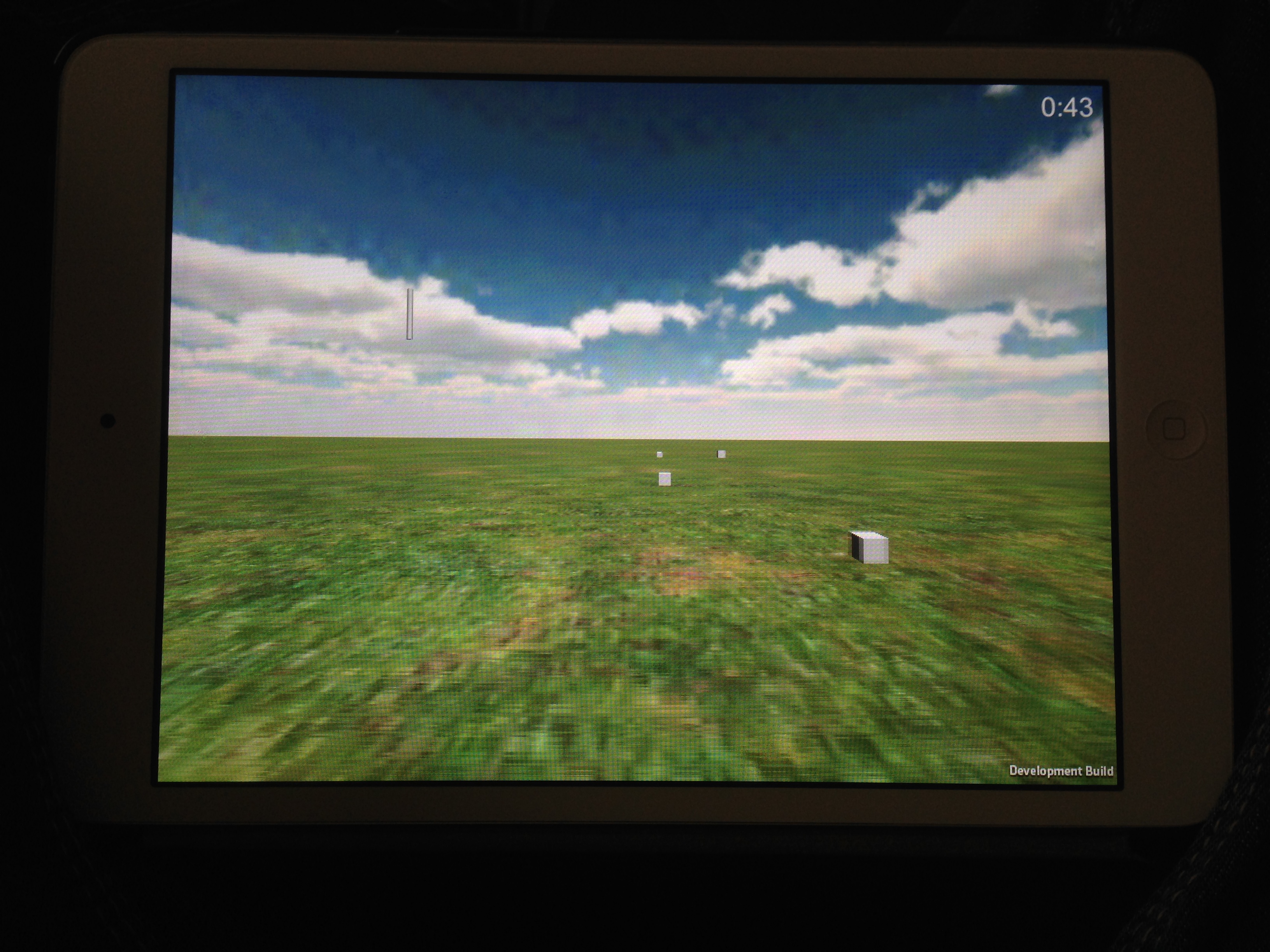
Here’s project dandelion working on my iPad mini. The timer works well, and accelerometer is ok, but needs a bit of tweaking.
The only problem I’ve ran into so far is working with the iPads accelerometer. When the app first loads up, it grabs the iPads current accelerometer speed on the y-axis, and subtracts that from all further movements. This works fine for allowing the user to keep the iPad in the initial orientation they had, but means moving down on the y-axis is very slow, as it has less room to choose from. This should be fixed soon.